Unlocking Authentic Artistry with a Professional Watercolor Textures and Brushes Set
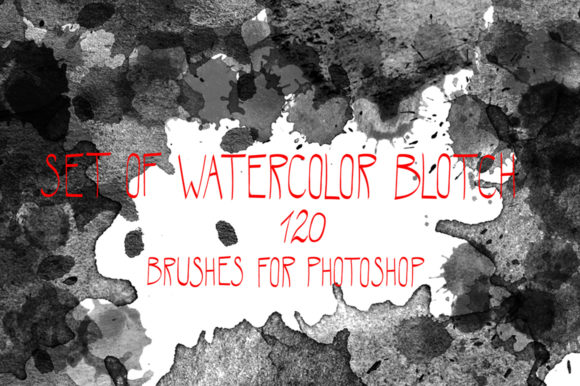
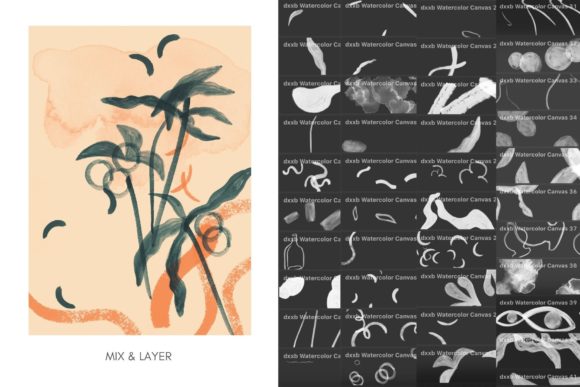
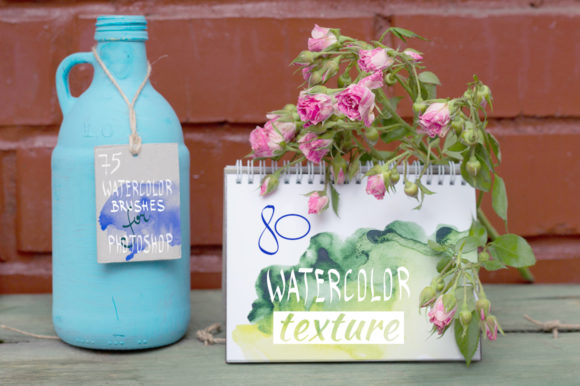
Digital art often struggles to capture the organic unpredictability of traditional media. Many creators find their work looking too clean, too perfect, and ultimately lacking soul. This is where a high-quality Watercolor Textures and Brushes Set becomes an essential tool in your creative arsenal. Whether you are a seasoned illustrator, a marketer designing social media graphics, or a hobbyist exploring digital painting, bridging the gap between pixel-perfect lines and fluid washes is crucial. The specific collection featuring 75 custom brushes and 80 hand-drawn textures offers a robust solution, but simply downloading it isn't enough. To truly elevate your work, you must understand how to integrate these assets effectively while avoiding common pitfalls that can undermine your final output.
The Trap of Low-Resolution Assets
One of the most frequent mistakes artists make when sourcing digital tools is overlooking resolution. It is tempting to grab free, low-quality files to save time, but this decision often leads to pixelated prints or blurry web images that look unprofessional. When you invest in a premium set, such as one containing 80 JPG 300dpi files and 80 PNG 300dpi files, you are securing the foundation for high-fidelity work.
Many beginners do not realize that 72dpi is standard for screens, but 300dpi is non-negotiable for anything intended for print, such as wedding invitations, product packaging, or art books. If you attempt to upscale a low-resolution texture later, you introduce artifacts and lose the delicate grain that makes watercolor look authentic. By starting with 300dpi hand-drawn textures, you ensure that your work remains crisp whether it is viewed on a smartphone or printed on a large canvas. Always check the file specifications before you begin a project; knowing you have transparent background options (PNG) versus white background options (JPG) allows you to choose the right format for your layering needs without extra editing time.
Misunderstanding Brush Dynamics in Photoshop
Having a powerful tool does not guarantee a masterpiece if you do not understand how to wield it. A common misconception is that installing an ABR file with 75 brushes will instantly make your digital strokes look like real paint. In reality, many users install the pack and immediately start painting with default settings, resulting in repetitive, stamp-like patterns that scream "digital."
To avoid this, you must engage with the brush settings in Adobe Photoshop. Real watercolor reacts to pressure, tilt, and water flow. While this specific set is optimized for Photoshop, taking a few minutes to adjust the "Shape Dynamics" and "Transfer" settings based on your tablet's pressure sensitivity can transform a static stroke into a living, breathing mark. Do not treat these brushes like standard pencils. Experiment with the opacity flow and try varying your stroke speed. The beauty of a hand-drawn brush set lies in its imperfection; if your lines look too uniform, you are likely holding the stylus too rigidly or ignoring the texture overlays that should accompany your brushwork.
The Oversight of Layer Management
Efficiency in digital art is heavily dependent on how you organize your layers, yet this is often an afterthought for many creators. When working with a comprehensive Set of hand drawing watercolor textures and brushes, it is easy to get carried away and apply every texture to a single layer. This approach destroys your ability to edit later. If you decide the background color needs to change or a specific wash is too dark, you may find yourself repainting the entire piece.
A better approach is to utilize the dual nature of the provided files. Use the PNG files with transparent backgrounds for overlaying grain and paper texture directly onto your painting layers using blending modes like "Multiply" or "Overlay." Reserve the JPG files on white backgrounds for masking or creating distinct paper elements. Keep your brush strokes on separate layers from your texture overlays. This non-destructive workflow allows you to tweak the intensity of the watercolor effect without compromising the underlying illustration. Remember, flexibility is key in digital design; locking yourself into a flat composition limits your creative freedom and increases the time required for revisions.
Compatibility and Software Limitations
It is vital to read the fine print regarding software compatibility. This particular collection is designed only for Adobe Photoshop. A frequent error occurs when users purchase specialized brush sets expecting them to work seamlessly in Procreate, Clip Studio Paint, or Affinity Photo without conversion. While some formats are universal, the specific dynamics coded into an ABR file often behave differently or not at all in other programs.
Before purchasing, verify your software version. Although modern versions of Photoshop generally support older brush formats, ensuring your application is updated prevents glitches where brushes might appear as simple circles or fail to load entirely. If you are a multi-platform artist, acknowledge that you may need to recreate certain effects manually in other apps rather than expecting a direct import. Sticking to the intended ecosystem ensures you get the exact performance the creator intended, saving you hours of troubleshooting.
Maximizing Value for Diverse Creators
The utility of a Watercolor Textures and Brushes Set extends far beyond fine art illustration. Entrepreneurs and small business owners often overlook how these assets can enhance brand identity. Using generic stock photos can make a brand feel impersonal. By incorporating hand-drawn watercolor textures into logos, website headers, or marketing materials, you inject a sense of humanity and craftsmanship that resonates with consumers.
Educators and bloggers can use these tools to create engaging visual aids that feel warm and inviting, contrasting sharply with the sterile look of standard corporate graphics. However, the key is restraint. A common mistake in commercial design is over-texturing, which can reduce legibility and clutter the message. Use the 75 brushes to create subtle accents rather than overwhelming the viewer. Let the white space breathe, and use the textures to guide the eye rather than dominate the frame.
Ultimately, the value of this set lies in its versatility and quality. With 80 unique textures and a wide array of brushes, you have the components to build a distinct visual style. The goal is not to mimic traditional watercolor perfectly but to harness its aesthetic qualities to serve your specific digital needs. By respecting the resolution, mastering the brush dynamics, organizing your layers, and adhering to software requirements, you transform a simple download into a powerhouse for creativity. Avoid the shortcut of hasty application; instead, invest time in learning the nuances of the tools, and your digital work will gain the depth and character that only authentic textures can provide.