Bringing Nature to Life: A Guide to Flowers and Leaves Photoshop Brushes
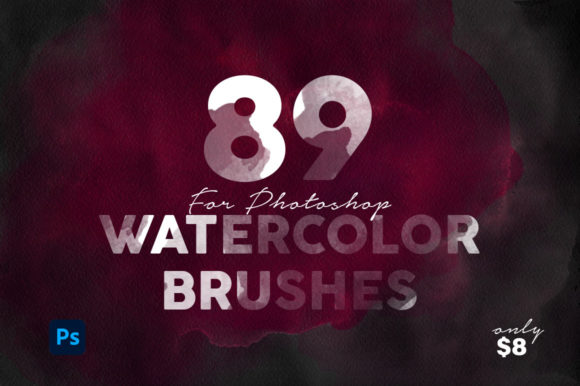
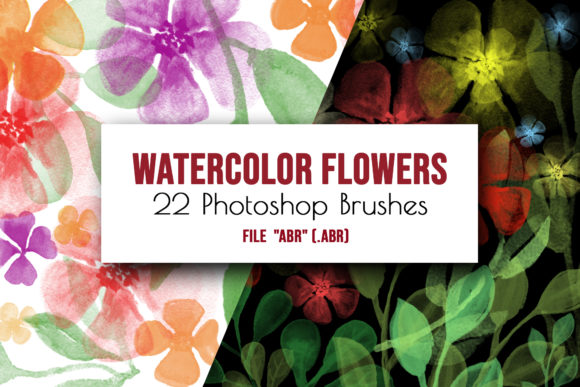
There is a distinct charm to hand-painted watercolor art that digital tools often struggle to replicate. The way pigment bleeds into paper, the organic irregularity of a leaf's edge, and the soft transparency of flower petals create a texture that feels alive. For designers, illustrators, and hobbyists alike, capturing this aesthetic from scratch can be time-consuming and requires a specific set of traditional skills. This is where Flowers and Leaves Photoshop Brushes become an invaluable asset. Specifically, sets like the collection of 22 hand-painted floral watercolor brushes transform complex artistic processes into accessible, enjoyable resources, allowing you to focus on composition rather than technique.
These digital tools are not merely stamps; they are sophisticated recreations of real-world media. When you utilize a high-quality set of digital brushes, you are essentially importing the behavior of water, paper grain, and brush pressure into your workspace. The result is artwork that retains the whimsical, amusing, and artistic qualities of traditional painting while offering the flexibility of digital editing. Whether you are a professional graphic designer or someone looking to add a personal touch to a family project, understanding how to leverage these tools can significantly elevate your creative output.
Real-World Applications for Wedding and Event Stationery
One of the most impactful uses for Photoshop Floral stamps is in the realm of wedding and event stationery. The current trend in wedding design heavily favors botanical themes, ranging from rustic eucalyptus garlands to vibrant tropical blooms. Creating these elements manually for every invitation, RSVP card, and menu can be prohibitively expensive if commissioned from an illustrator, or incredibly tedious if painted by hand for each guest.
With a dedicated set of Flowers and leaves Photoshop Brushes, a couple designing their own invites or a small business owner creating custom stationery can achieve a bespoke look instantly. Imagine layering soft pink peonies with sage green foliage to frame a monogram. Because these are digital brush stamps, you can easily adjust the color palette to match specific wedding colors—perhaps shifting a standard red rose to a deep burgundy or a dusty blush—without losing the natural watercolor texture. This capability allows for infinite customization while maintaining a cohesive, hand-crafted aesthetic across all printed materials.
Elevating Digital Products and Scrapbooking
Beyond print, the demand for digital embellishments in the scrapbooking and planner community is immense. Users of digital planning software and those who sell printable wall art constantly seek unique elements to differentiate their products. A set of 22 varied floral brushes provides a robust menu of options to create scrapbook accents that feel genuine rather than clip-art-like.
Consider a digital scrapbooker documenting a spring vacation. Instead of searching through thousands of generic PNG files, they can use these digital brushes to paint directly onto their layout, adding vines that curl naturally around photo frames or scattered petals that lead the eye across the page. The ability to change brush rotation and size means no two flowers need to look identical, preventing the repetitive patterns that often plague digital designs. This level of control empowers creators to build wall art and backgrounds that possess depth and character, making them far more appealing to consumers looking for authentic artistic expression.
Benefits Across Different Creative Industries
The utility of Flowers and Leaves Photoshop Brushes extends well beyond individual hobbies. In the branding industry, boutique businesses such as bakeries, florists, and skincare lines often require packaging and logos that convey softness, nature, and elegance. A logo featuring a hand-painted olive branch created with these brushes can communicate an organic brand identity more effectively than a vector graphic.
Social media managers also find immense value in these tools. Creating engaging content often requires unique background textures or decorative borders to make posts stand out in a crowded feed. By using Photoshop Floral stamps, a content creator can quickly generate branded templates for Instagram stories or Pinterest pins. The "amusing and artistic" nature of watercolor adds a human touch to digital marketing, making brands feel more approachable and less corporate. Furthermore, web designers can use these elements to create subtle, non-intrusive backgrounds for lifestyle blogs, enhancing the user experience without slowing down site load times, provided the images are optimized correctly.
Practical Considerations Before You Begin
While the possibilities are endless, there are practical considerations to keep in mind when integrating Flowers and leaves Photoshop Brushes into your workflow. First and foremost, compatibility is key. These specific brushes were created in Adobe Photoshop CC and rely on the software's engine to render the watercolor effects accurately. While some other programs claim to support Photoshop brushes, the nuanced opacity and flow settings that give these brushes their realistic look may not translate perfectly outside of the Adobe ecosystem. It is essential to ensure you have the correct software to avoid frustration.
Installation is generally straightforward but requires attention to detail. To get started, you simply need to locate the watercolor_brushes.abr file included in your download. There are two primary methods to load them. The quickest way is to drag and drop the file directly into your open Photoshop window. Alternatively, for a more organized approach, you can navigate to the Edit > Presets > Preset Manager menu, select "Brushes," click "Load," and select your file. Once loaded, these new tools will appear in your Brushes panel, ready for immediate use.
Another consideration is color management. One of the greatest strengths of this set is the ability to recolor the strokes. However, because watercolor simulations often involve multiple layers of transparency and blending modes, changing a dark green leaf to a bright yellow might require adjusting the layer blend mode or using a clipping mask rather than just the foreground color picker. Experimenting with layer modes like "Multiply" or "Overlay" can yield the most natural results when adapting these digital embellishments to different color schemes.
Maximizing the Potential of Your Brush Set
To truly master these tools, one must move beyond simple stamping. The included menu of brush types likely offers variations in stroke density, petal shape, and leaf arrangement. A pro tip is to combine different brushes within the same composition. Start with a larger, softer brush to establish the main flower shape, then use a finer, more detailed brush to add stamen or delicate vein work on the leaves. This layering technique mimics the actual process of painting and adds significant realism to the final piece.
Additionally, do not be afraid to manipulate the brush dynamics. Adjusting the spacing, scatter, and rotation jitter in the Brush Settings panel can turn a single flower stamp into a natural-looking field of wildflowers. This dynamic approach prevents the artwork from looking static or manufactured. Whether you are designing a card for a loved one or composing a complex illustration for a client, the flexibility of these 22 hand-painted brushes allows you to push the boundaries of what is possible in a digital environment.
Ultimately, investing in a high-quality set of Flowers and Leaves Photoshop Brushes is about saving time without sacrificing quality. It bridges the gap between the tactile joy of traditional painting and the efficiency of modern design. By understanding the scenarios where these tools shine—from wedding suites to social media graphics—you can unlock a new level of creativity, producing work that resonates with warmth and artistic integrity.